
Free workout builder for personal trainers
Build a client workout in your browser — add exercises, sets, reps and rest by hand, then download it as a PDF. Free, and no signup needed.
Workout builder
What is the JustTrain workout builder?
The JustTrain workout builder is a free online editor that personal trainers use to write a workout for a client. You build the session by hand. Then you edit it and download it as a PDF you can print or send. You don't need an account.
It replaces the notepad or spreadsheet you write sessions in today. Each exercise holds its sets, reps, weight and rest, and your notes for the client sit right next to it.
How do I build a workout for a client?
Open the builder, create the session manually, adjust the exercises, then download it. The screenshots below show a session built in the editor.
-
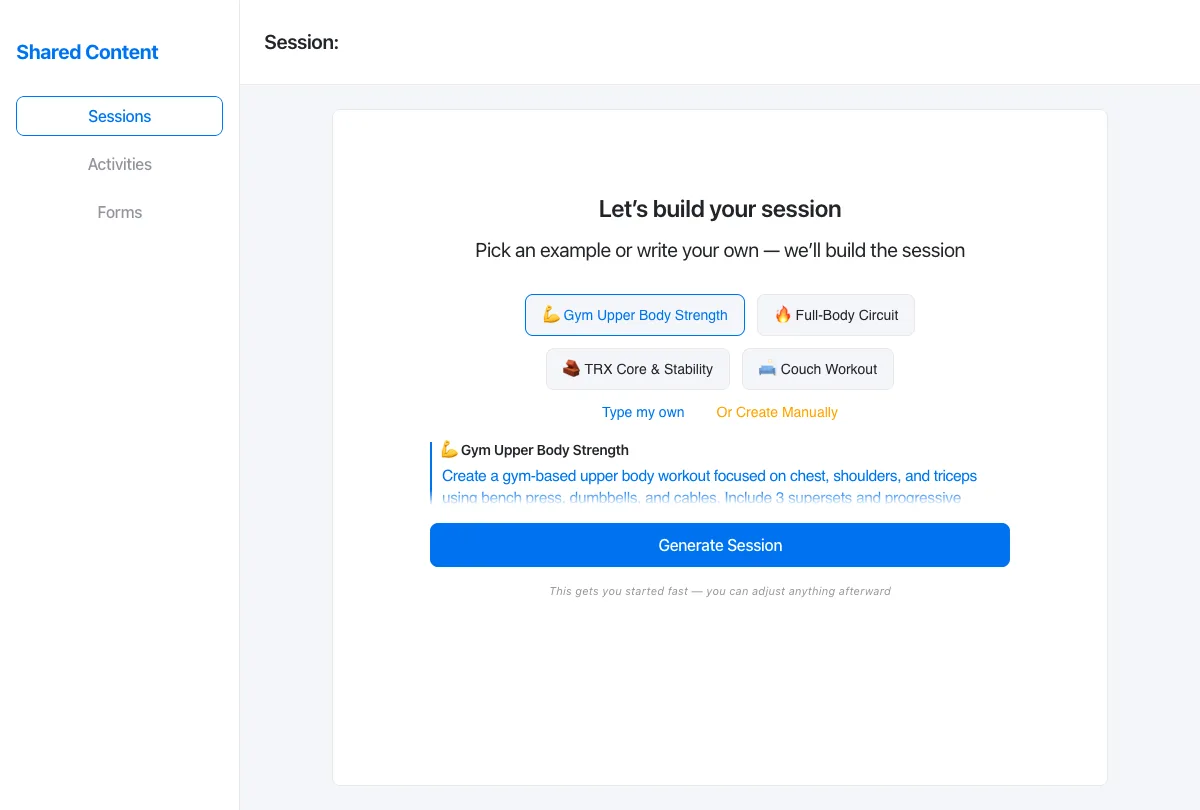
1. Create the workout manually
Choose Or Create Manually. Name the session, select Manually add content, then add exercises with their sets, reps, weight and rest.
-
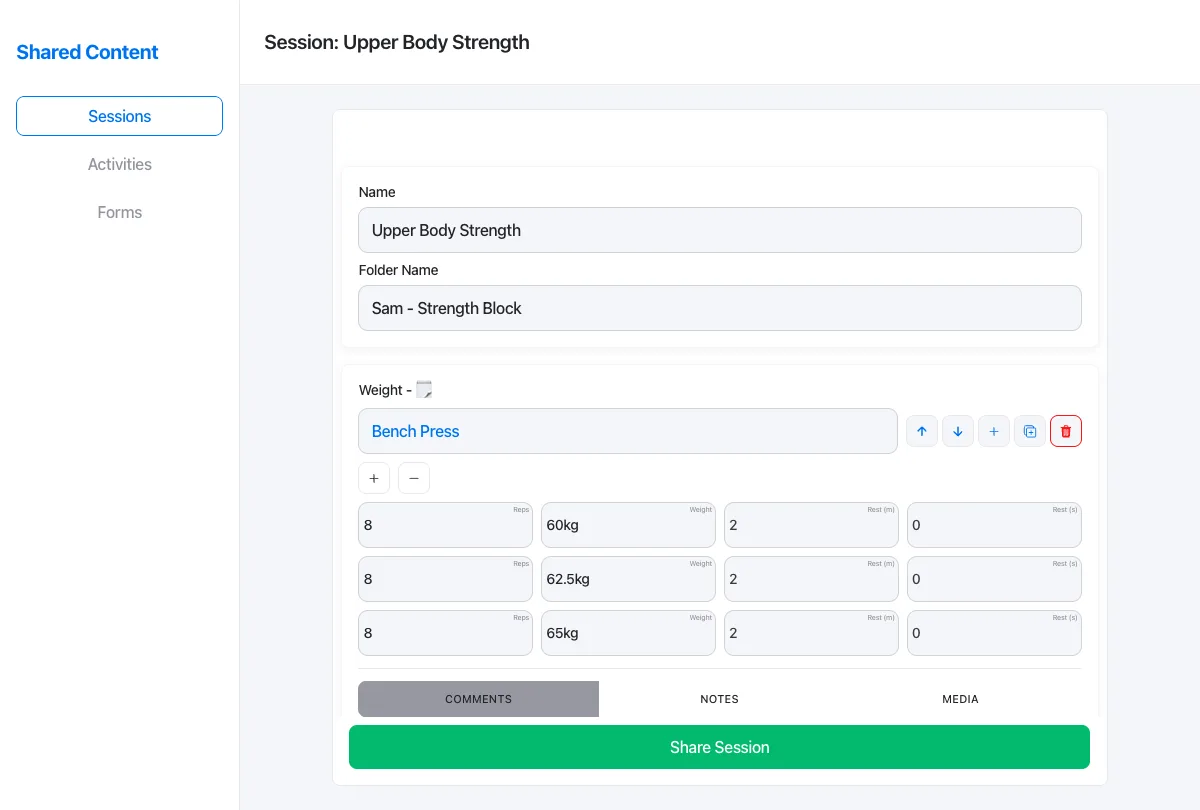
2. Adjust it for your client
Name the workout and put it in the client's folder. Change any exercise, set reps, weight and rest for each set, and add rest blocks and info blocks for warm-up or cool-down instructions. Move, duplicate or delete any block. Each exercise has room for comments, notes and media.
-
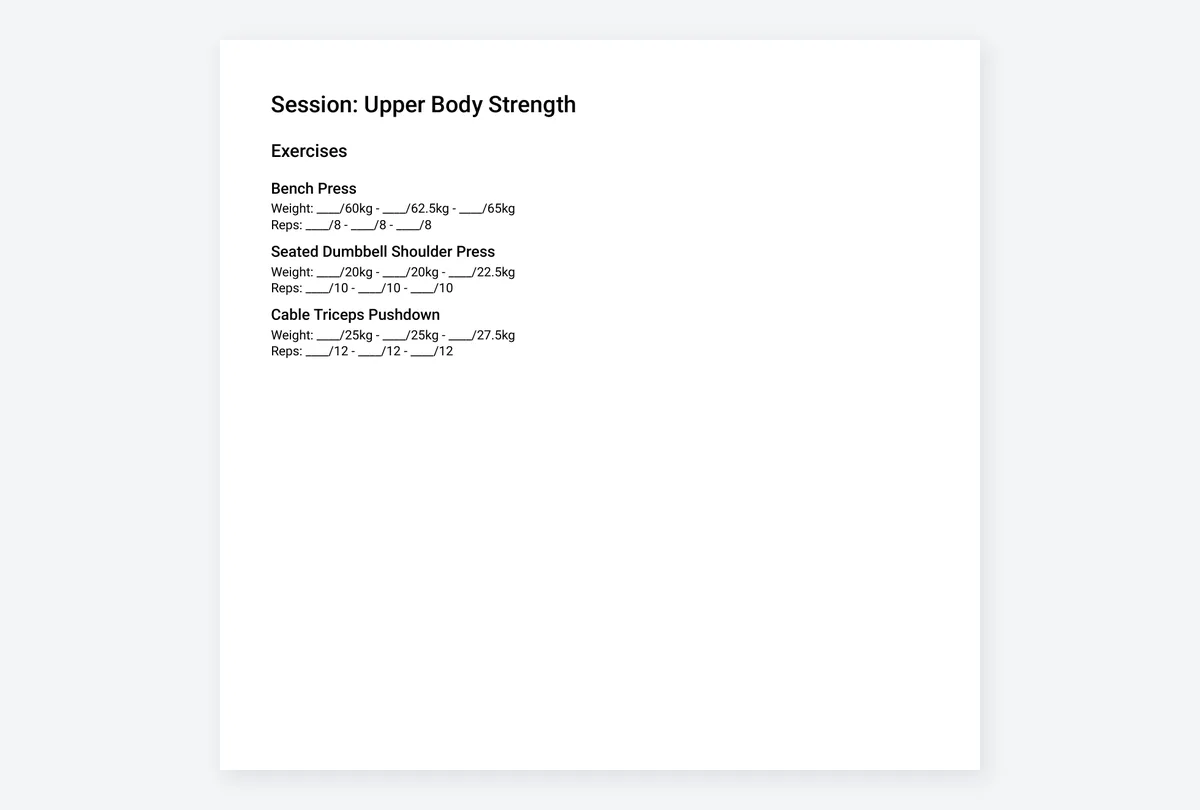
3. Download it as a PDF
Select Share Session, then Just Download Session. You get a PDF of the workout and a link you can copy and send to your client. Every exercise has blank weight and reps lines, so the client can write down what they did.
What can I put in a workout?
A JustTrain workout is a list of blocks you put in any order:
- Exercises, each with its own sets, reps, weight and rest.
- Rest blocks in minutes and seconds between exercises.
- Info blocks for warm-up, cool-down or coaching instructions.
- Comments, notes and media on each exercise, so the client sees your cues where they need them.
Who is this workout builder for?
The JustTrain workout builder is made for personal trainers who write sessions for paying clients. It is built to write a session for someone else: you file it in the client's folder, add your own coaching notes, and hand the client a sheet to fill in.
Building one multi-week program instead of a single session? See the workout program creator.
What do I get if I start free with JustTrain?
Starting free gets you JustTrain, the coaching app behind the builder. It's one app for your sessions, payments and programs: session scheduling and tracking, packages, contracts and payments, workout programming, and a client app. The free plan covers up to 3 clients. Prices as of November 2026:
| Plan | Price |
|---|---|
| Free | $0, up to 3 clients |
| Starter | $19.99 / month |
| Premium | $39.99 / month |
| Pro | $79.99 / month |
Moving from another tool? Once you sign up, send us your exports, PDFs, spreadsheets or screenshots, and we rebuild your clients, programs, packages and schedule in JustTrain.
Start freeCompare the whole app on personal trainer software, or see the scheduling app and client tracking.
Frequently asked questions
Is the JustTrain workout builder free?
Yes. The JustTrain workout builder is free and works without signing up. You can build workouts in your browser and download them as PDFs. If you later want the full coaching app, its free plan covers up to 3 clients.
Do I need to create an account to use the workout builder?
No. Open the workout builder on this page and start building. You only need an account if you want the full JustTrain app for your clients, sessions and payments.
Can I print a workout for my client?
Yes. Select Share Session, then Just Download Session, to get a PDF you can print. Each exercise has blank weight and reps lines, so your client can write down what they lifted during the session.
What is the difference between a workout builder and a workout program creator?
A workout builder creates one session. A workout program creator plans several sessions across weeks. Use this page to write a single client session. For multi-week programs, see the JustTrain workout program creator.
How much does JustTrain cost?
As of November 2026, JustTrain has a free plan for up to 3 clients. Paid plans are Starter at $19.99 a month, Premium at $39.99 a month and Pro at $79.99 a month. The workout builder on this page is free without signing up.
Write your next client session in the free builder
No account needed. Open the editor, build the workout, download it.
Build a workout now · No signup